



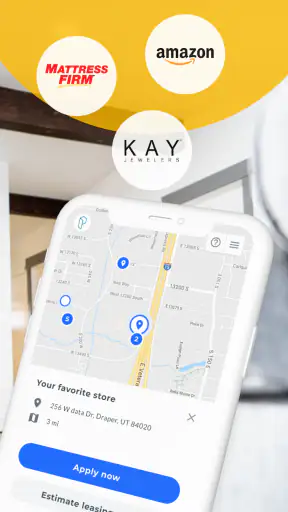
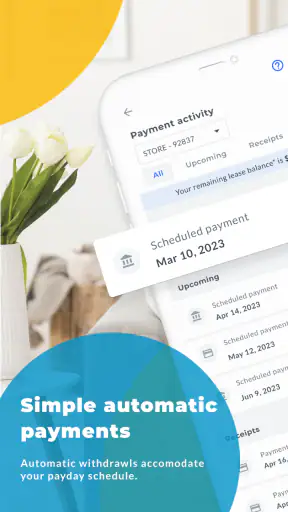

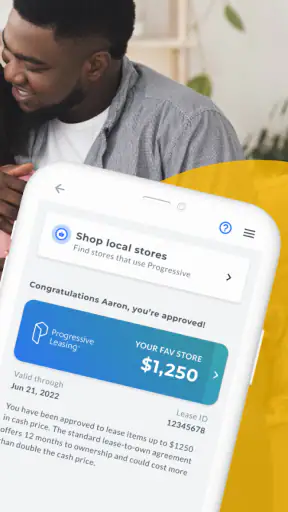
I spent time with Progressive Leasing Mobile as a shopping and lease-to-own companion, paying particular attention to whether its everyday flow feels understandable and manageable for people using it in different situations. The app is free, is rated for Everyone, and comes from Progressive Leasing. Its basic purpose is straightforward: it helps shoppers explore a lease-to-own purchase option when they need an item before they can comfortably pay for it in the usual way.
That purpose makes the app more specific than a normal shopping app. You are not simply browsing products, comparing colors, and checking out with a card. The important question is whether leasing fits your circumstances, your budget, and the purchase you have in mind. I found that the app is most useful when treated as a tool for understanding and managing that option, rather than as a replacement for every retailer or payment method.
How the app communicates its purpose and guides you
The first thing I noticed is that the experience depends heavily on clear reading. Lease-to-own arrangements can involve more conditions than a regular purchase, so short labels and simple navigation matter. The app’s shopping focus is easy to understand, but I would still slow down around any screen that discusses payment timing, approval, renewal, ownership, or the total amount involved. Those details deserve more attention than the product photos themselves.
For someone who is comfortable reading on a phone, the main idea is not difficult to grasp. The app is aimed at helping you get what you need now through Progressive Leasing’s option, and that gives the interface a practical direction. I did not approach it like a browsing destination where I wanted endless discovery. I approached it with a specific item or need in mind, which made the experience feel more purposeful.
That distinction is useful for people who find large shopping catalogs tiring. Instead of opening the app with no plan, I recommend deciding what you need, how urgently you need it, and what regular payment commitment you could realistically handle. This turns the app into a decision aid rather than an impulse-shopping shortcut. It also makes it easier to notice when the lease-to-own route is not the sensible choice.
The current version is 6.6.45, and the app supports devices running Android 7.0 or later. That broad device coverage is helpful for people who keep an older phone because replacing it is expensive or inconvenient. It does not guarantee that every older handset will feel equally quick or comfortable, but it does make the app more approachable than a service that requires a recent device.
Readability matters more here than in ordinary retail browsing
In a standard shopping app, overlooking a small product detail may lead to ordering the wrong color or size. In a lease-to-own app, overlooking a financial detail can have a much bigger effect. I therefore recommend reading every explanatory section instead of relying on the most prominent button. If you use larger system text, increased display scaling, or a screen reader, check that the wording remains complete and that important terms are not hidden behind truncated labels.
I also found it helpful to pause between stages. People with attention difficulties, reading fatigue, or limited familiarity with financial language may benefit from taking a screenshot or writing down the key terms before continuing. That is not a criticism of one particular screen; it is a sensible safeguard whenever an app combines shopping with a payment arrangement.
The app’s audience is broad, reflected in its Everyone content rating, but “Everyone” should not be confused with “effortless for everyone.” A general age rating says who may access the app, not whether every person will find the reading level, contrast, layout, or financial explanations equally comfortable. My own advice is to judge the app by the clarity of the actual terms, not by the age label alone.
Navigation and motor comfort in everyday use
Phone shopping usually involves taps, scrolling, selecting an item, and moving through forms. That can be manageable for many users, but it can become frustrating for someone with tremors, limited reach, joint pain, or difficulty making precise gestures. I would use the app with the phone supported on a table rather than holding it in one hand, especially when reviewing a lease option or entering details.
A useful habit is to avoid rushing through a screen simply because a large action button is easy to see. If you have limited dexterity, accidental taps can be more likely when buttons are close together or when scrolling causes the page to move unexpectedly. Give each screen time to settle, and use the device’s built-in touch settings if they make tapping easier. The app can be part of an accessible setup, but the phone’s own settings and the user’s physical environment remain important.
People who cannot comfortably type on a small keyboard may want to prepare information in advance or use their device’s standard voice input where appropriate. I would still review dictated text carefully, particularly names, addresses, and financial information. Voice input can reduce hand strain, but an incorrectly recognized word can create a different problem if it is not checked before submission.
For users with low vision, a larger screen may be more comfortable than a compact phone. Dark-room use can also be unpleasant if bright white screens create glare or sensory discomfort. Adjusting brightness and the phone’s display settings may help, although those changes cannot compensate for every design choice inside an app. If a key explanation remains difficult to read, asking a trusted person to review it with you is better than guessing.
Using it when your situation is not ideal
Accessibility is not only about permanent disabilities. Someone may use the app while caring for a child, dealing with a temporary injury, working in a noisy place, or trying to make a purchase with a weak internet connection. Those circumstances change how much attention a person can give to a financial decision.
For a realistic example, imagine that a refrigerator stops working and you need a replacement quickly. You may open the app while standing in a store, compare the lease-to-own route with the retailer’s normal payment choices, and try to decide under pressure. In that situation, I would not complete the process while distracted by store noise or a queue behind me. I would first identify the exact item, then move somewhere quieter and read the payment information from beginning to end.
This workflow is especially important for users who process information more slowly or who become overwhelmed by multiple choices. One person can browse and decide in minutes; another may need breaks and a second review. The app is more inclusive when the user gives themselves permission to take that time. The financial commitment does not become safer merely because the interface makes the next step convenient.
Someone with hearing loss may not be affected by ordinary visual shopping screens, but any support that relies on sound, calls, or spoken explanations should be considered carefully. If you need assistance, ask for written details whenever possible so you can review them at your own pace. Someone with cognitive disabilities may also benefit from a support person who can help compare the lease-to-own option with buying outright, using a retailer payment plan, or waiting until the purchase is affordable.
Where the app fits beside normal shopping alternatives
Compared with paying the full price immediately, the obvious appeal is timing. A lease-to-own option may be relevant when an essential household item cannot wait. The trade-off is that convenience should not be judged only by the next payment. I would compare the complete obligation with the item’s cash price and with other financing choices available from the retailer or your bank.
Compared with a regular retailer app, Progressive Leasing Mobile is more focused on the payment route than on being a universal marketplace. That focus can be helpful if you already know you want to explore Progressive Leasing. It is less useful if your main goal is finding the lowest product price across many stores, reading extensive independent reviews, or comparing ordinary credit-card rewards.
Compared with a credit card, the lease-to-own approach may appeal to someone who does not want to use a traditional revolving account. However, the right choice depends on the actual terms and on whether you can complete the arrangement comfortably. A credit card with a manageable payoff plan, a retailer’s fixed installment option, secondhand shopping, or delaying the purchase may be better in some cases. I would never choose the app simply because the first payment looks easier.
That is one of the app’s less obvious strengths: it encourages a very concrete conversation about need and timing. If you use it before entering a store, you can decide what alternatives to ask about instead of accepting the first available arrangement. In my view, the best use is comparison, not automatic commitment.
Practical habits that make the experience safer and clearer
My first tip is to start with one purchase rather than several. A single item makes it easier to understand the payment obligation and to notice whether the arrangement suits your monthly budget. Combining urgent needs into one rushed decision can make the total commitment harder to track, particularly for people who already find financial paperwork stressful.
My second tip is to create a personal summary in plain language before you finish. Write down the item, the expected payment schedule, the dates that matter, and what would happen if your circumstances changed. Do not rely on memory or on a quick glance at a confirmation screen. This is useful for anyone, but especially for people with memory difficulties or executive-function challenges.
My third tip is to compare the lease-to-own route at the same moment as the ordinary purchase route. Open the retailer’s normal checkout or ask about its other payment options, then compare the total commitment rather than just the initial amount. This prevents the app from becoming a tunnel that hides alternatives. It also helps a family member or support person give practical advice because everyone is looking at the same decision.
A fourth useful approach is to use the app for preparation and the retailer for physical inspection. If you have vision limitations, sensory sensitivities, or difficulty judging size from a screen, seeing the product in person may prevent a disappointing purchase. The app can help with the payment side, while the store can answer questions about dimensions, controls, noise, texture, or setup.
Barriers that remain for some users
The biggest barrier is not necessarily navigation; it is the complexity of making a responsible lease-to-own decision under pressure. A person who needs an appliance immediately may focus on access today and underestimate the longer financial effect. No interface can remove that risk completely. The app should therefore be used with a written budget and enough time to read the terms.
Another barrier is dependence on a compatible smartphone and a comfortable digital routine. The minimum Android requirement is relatively accommodating for older devices, but people using other platforms, very small screens, outdated hardware, or limited data access may still have a less comfortable experience. A family member or trusted helper can make the process more manageable, but sharing personal and financial information requires care.
People with dyslexia, limited English proficiency, cognitive disabilities, or unfamiliarity with lease terminology may need more explanation than a short mobile screen can provide. I would not treat a confusing phrase as something to infer. Pause and seek clarification before agreeing. If the app’s wording does not make the arrangement understandable, a normal retailer purchase or a different payment method may be the more accessible choice, even if it takes longer.
Sensory needs also vary. Some users may be comfortable with a bright, scrolling shopping experience, while others may find motion, dense screens, or repeated prompts tiring. Device-level settings can help, but I would avoid assuming that one setting works for everyone. A larger display, a quiet room, reduced notifications, and a support person can make a meaningful difference.
Finally, the app is not a substitute for financial advice. Its role is to provide access to Progressive Leasing’s shopping option, not to determine whether that option is suitable for your household. If your income changes from month to month, you are already managing several obligations, or you are unsure how missed or delayed payments would affect you, I would choose a slower decision and independent guidance over a fast checkout.
Who I would recommend it to
I would recommend Progressive Leasing Mobile to a shopper who has a specific need, wants to examine Progressive Leasing as one possible route, and is willing to compare the full commitment with ordinary buying. It may also suit people who benefit from preparing at home before visiting a retailer. The free download and broad Android compatibility lower the practical barrier to trying it, while the Everyone rating makes it suitable for a general audience in terms of content.
I would be more cautious recommending it to someone who is browsing for entertainment, has no clear budget, or is likely to focus only on getting an item immediately. I would also suggest another route first for anyone who can comfortably pay upfront or who has a clearly cheaper, fixed installment option. The app is not automatically the best answer just because it makes a purchase possible today.
Its reception is mixed but established: the app holds an average rating of 3.6 from around 6,300 ratings, with roughly 2,400 written reviews and more than a million installs. I read that as evidence that many people find a reason to use it, but not as proof that every shopper will have a smooth or suitable experience. The volume of use makes it worth considering; the middling average reinforces my advice to approach it carefully.
My inclusive verdict after using it
Progressive Leasing Mobile does one focused job: it brings Progressive Leasing’s lease-to-own option into a mobile shopping workflow. I appreciate that focus, especially for someone dealing with an urgent household need and looking for an alternative to paying the full price at once. The app is free, its content rating is Everyone, and its support for Android 7.0 or later means it is not limited to people with the newest phones.
From an inclusion standpoint, its value depends on more than whether a person can open the app and tap through it. Readable explanations, time to compare alternatives, a quiet setting, suitable display adjustments, and help from a trusted person may all be necessary. Users with motor, visual, hearing, cognitive, or temporary situational needs should plan around their own requirements rather than assuming the default mobile flow will fit perfectly.
My final recommendation is simple: use it when you have a defined purchase and want to investigate this particular payment path, but treat every financial detail as something to understand before agreeing. If the terms are difficult to read, the total commitment does not fit your budget, or another purchase method is clearer and cheaper, choosing that alternative is the more accessible decision. For careful shoppers, the app can be useful; for rushed or uncertain shoppers, slowing down is more important than completing the transaction.


